
Retail Fixture Rollout Checklist for Multi Store Programs
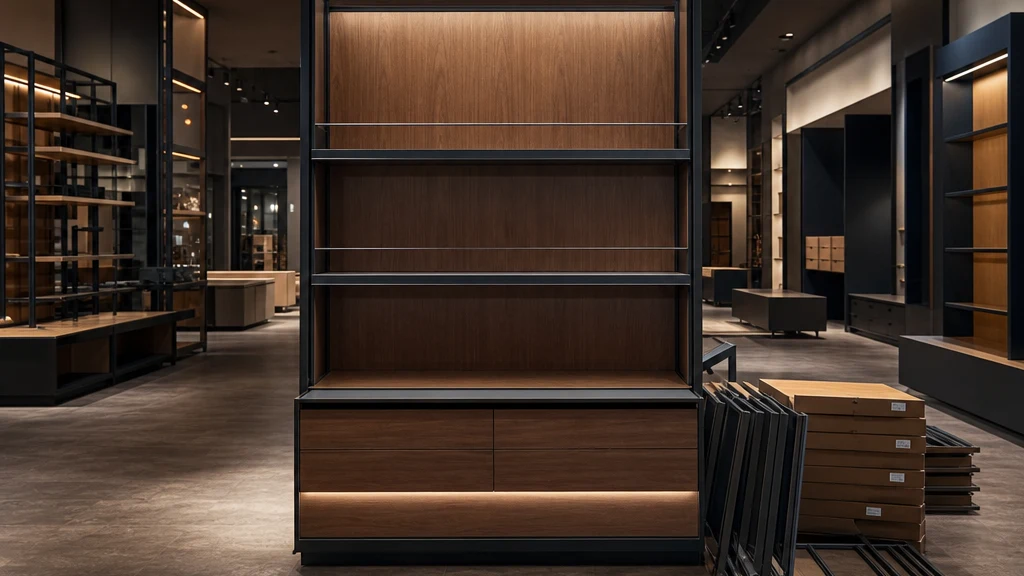
Illustrative image of a retail fixture program.
A retail fixture rollout checklist should connect the approved fixture package to the conditions at each store, then define when that location can move into installation and closeout. Start with a tested baseline, record store-specific exceptions, and release work in manageable waves. A location should move forward because its prerequisites are confirmed, not simply because it appears next on a national calendar.
For retail owners, operators, and development teams, the challenge is repetition with variation. The same display may fit twelve stores but require an approved adjustment at the thirteenth. One location may allow daytime access; another may offer a short overnight window. Unless those differences are visible before crews and freight are committed, a small unresolved detail can become a repeated problem.
This guide focuses on coordinating fixtures, vendors, construction interfaces, and installation teams across multiple stores. It provides a practical working method, not a substitute for project contracts, manufacturer instructions, qualified technical review, or required approvals.
Define what the program must deliver
Write a short scope statement before building the rollout calendar. Identify the fixture types, locations, planned operating conditions, and boundaries of the work. State whether the program includes removing existing fixtures, receiving, assembly, placement, specialist connections, merchandising support, debris removal, or return visits. Assign excluded work to the appropriate party instead of leaving it implied.
Define the completion standard at the same time. An installed fixture, a merchandising-ready area, and an approved store handoff may be separate milestones. A crew can finish its contracted work while another dependency remains open. The reporting system should show both facts without labeling the entire store complete.
Agree who can approve design changes, additional costs, schedule changes, and final acceptance. The coordinator gathers and routes information; that role does not automatically carry every approval right. Retail rollout coordination can support the program while preserving the responsibilities of the retailer, GC, designers, procurement company, manufacturers, and installers. Landlord approvals, permits, inspections, and contracted trade duties remain with the responsible parties.
Check 1 Build a store register that captures exceptions
Give every location a stable store ID. Use it across drawings, orders, cartons, delivery appointments, installation reports, and punch records. Store names alone are unreliable when a retailer has several locations in the same city.
Start the register with the approved scope and then record the differences that affect execution:
- Store address, local contact, and permitted work window.
- Current layout revision and fixture package or variant.
- Survey date, survey owner, and unresolved field questions.
- Loading access, staging arrangements, and relevant landlord conditions.
- Construction dependencies and the person confirming their completion.
- Delivery, installation, merchandising, and handoff milestones.
- Open decisions, accountable people, and required response dates.
Use a standard survey form, but do not force a standard answer. A narrow doorway, an existing service counter, or a changed wall condition may require a different approved solution. Route technical questions to the designer, manufacturer, GC, or other responsible professional before treating that store as ready.
The useful output is an exception list. Leadership should be able to see which stores follow the baseline, which need a defined variant, and which still lack enough information to plan confidently.
Check 2 Test the working package before repeating it
A pilot should test the execution package as well as the fixture's appearance. Select a location or controlled test that exposes meaningful conditions in the program. If stores differ materially, one straightforward location may not represent every variant.
Ask the installer to work from the information intended for the wider rollout. Record unclear instructions, missing components, packaging problems, access constraints, and questions requiring a decision. Observe the sequence from receiving through assembly, placement, cleanup, and handoff. Do not turn one pilot's duration into a universal labor promise.
Manufacturer KPI Concepts' July 8, 2026 rollout guide identifies prototype review, store-specific kitting, and post-installation documentation as parts of a fixture program. For the owner, the next step is deciding what evidence must be resolved before the tested package becomes the baseline for other stores.
Before releasing that baseline, confirm:
- Required design and technical reviews are complete.
- The item list, component list, and installation information agree.
- Lessons from the pilot have an owner and a recorded disposition.
- Approved changes appear in the files that crews will actually receive.
- Unresolved exceptions are identified by affected store or store type.
Document the baseline revision and who authorized its use. A pilot photograph alone does not tell the next crew which instructions changed.
Check 3 Turn the baseline into a store specific work pack
Each work pack should contain the approved layout, fixture references and quantities, applicable manufacturer instructions, delivery information, scope boundaries, local contact details, and required completion evidence. Include a short exception sheet at the front so the installer can see what differs from the normal package.
Keep the package usable in the field. Provide drawings at a readable scale and label photographs with the store and location they show. Make the current revision easy to identify. Remove superseded files from the active work area while retaining them in the project record.
Connect the pack to the shipment. Store-specific labels and component lists should help the receiving team identify whether it has the correct package, including hardware and separately shipped parts. A carton count can be useful, but it does not establish that the required fixture assemblies are complete.
Name the person who answers field questions during the actual installation window. A daytime contact who is unavailable during overnight work leaves the crew without a usable escalation route. Also define which questions require work to pause pending approval, rather than letting installers improvise a design change.
Check 4 Plan waves around constraints as well as geography
Grouping nearby stores can simplify travel, but geography should not be the only scheduling rule. Compare package availability, store access, construction dependencies, crew capability, approved variants, and the retailer's operational priorities.
A wave is a group of stores planned for a defined execution period. Keep it small enough that the team can respond to problems and apply lessons before repeating them elsewhere. The appropriate size depends on the program's complexity and available resources, not a universal store count.
Phoenix Fixtures' May 13, 2026 planning guidance calls for aligning production, rollout sequencing, installation, and logistics. An owner-facing plan should also make recovery capacity visible: who can address a failed delivery, a missing component, or corrective work without silently displacing another location.
Separate provisional dates from confirmed commitments. Record the assumptions behind each wave and when they will be checked again. If a store slips, identify whether it can move independently or whether it shares a crew, shipment, or prerequisite with other locations.
Check 5 Use a release record for every location
Before committing a store to installation, review its current evidence. A simple location release record can show:
- Approved package and revision available to the field team.
- Required items and components accounted for, with exceptions disclosed.
- Relevant construction prerequisites confirmed by their responsible parties.
- Access, receiving, staging, and work window reconfirmed.
- Installer and any separate specialist attendance confirmed.
- Store operations informed of the planned sequence and restrictions.
- Named decision-maker, decision date, and conditions or unresolved items.
Use clear statuses such as planned, ready for release, released, in progress, awaiting correction, and verified complete. Define them for the program. Do not use a green color or an overall percentage as a substitute for the underlying evidence.
A conditional release needs a precise boundary. For example, an authorized team may release one verified area while holding another pending information. It must not become a way to bypass an unsafe condition, technical requirement, or required approval. Explain what may proceed and who owns the remaining decision.
Check 6 Control changes across every affected store
The most important question after a field change is often how many other locations it affects. Record the issue against both the individual store and the common fixture or package reference.
For each proposed change, capture the reason, affected stores, current revision, proposed resolution, required approver, and known cost or schedule implications. Check the status of material already manufactured, shipped, received, or installed. The same correction may require different action at each stage.
After approval, issue a revised package with an effective date and a list of affected locations. Obtain acknowledgment from the people responsible for production, shipping, and field execution. A new file in a shared folder does not prove that an overnight crew stopped using the previous version.
Keep isolated defects separate from repeat defects. A damaged panel at one store may require a replacement. The same missing component at several stores may require a program-level packing review before the next wave leaves the warehouse. Escalate the pattern while continuing unaffected work where the authorized plan permits it.
Check 7 Report decisions and exceptions at program level
An owner needs a concise summary that connects store activity to upcoming commitments. Use the same reporting fields at every location, then roll them up without hiding exceptions.
A useful update states the stores completed and verified, stores in progress, locations blocked from the next milestone, repeated issues, and decisions needed before the next wave. Include the latest confirmation date so old information is not mistaken for a current field check.
For each priority issue, answer four questions: What changed? Which locations are affected? What action is needed? Who must decide by when? Show the consequence of waiting where it is known. Avoid presenting an estimated recovery date as a confirmed promise.
Photos should support the record. Request a repeatable set of views that shows fixture identification, placement, relevant details, and outstanding work. Do not collect dozens of unlabeled images and expect the owner to reconstruct the outcome. A sample project report can help teams agree how concise field evidence will be presented.
Check 8 Close each store and improve the next wave
Agree the handoff evidence before installation starts. Depending on scope, it may include completed quantities, required photographs, approved exceptions, punch items, relevant instructions, and confirmation by the designated reviewer.
Keep incomplete work visible after the main crew leaves. Each remaining item needs a responsible party, next action, expected date, and closure evidence. Distinguish a replacement ordered from a replacement installed and verified. Do not close a store solely because the scheduled visit ended.
Review the first wave before expanding the pace. Compare what happened with the assumptions used to plan it: access time, kit completeness, field questions, installation sequence, and return work. Update the baseline only through the agreed approval process. The purpose is to stop avoidable issues from repeating, not to assign a reassuring completion percentage.
An illustrative wave decision
Consider a fictional twelve-store display refresh arranged in three waves. The pilot reveals that the work pack does not clearly distinguish two bracket variants. Before the next shipment, the manufacturer clarifies the labels and the designer confirms which variant applies to each store.
The location register then shows that two stores still lack verified field information. Instead of labeling the whole wave ready, the coordinator presents a choice: proceed with the confirmed locations and reschedule the two exceptions, or hold the wave if shared transport and crew commitments make a split impractical.
The owner receives the actual supplier and installer implications before deciding. Approved changes are recorded in the store packs and the program forecast. This example illustrates a decision process, not a Velinor client result or a claim that rescheduling is always the best option.
Common mistakes that make rollouts harder to control
Counting visits instead of verified outcomes. Report what is complete and what remains, not merely which stores a crew attended.
Using the pilot as proof that all stores match. Reconcile each location's conditions and approved variant.
Sending revisions without tracking their reach. Identify affected production batches, shipments, stores, and crews.
Accelerating before repeated problems are resolved. Review recurring issues before increasing the next wave's size.
Leaving recovery work outside the plan. Track return visits, replacement parts, and operational constraints through closure.
Questions to resolve before the first wave
How many stores should be in a pilot or first wave
There is no universal number. Select enough representative conditions to test meaningful differences, then match the first wave to the team's ability to verify results and respond to exceptions. A larger program does not automatically justify a larger first wave.
Who should own the master rollout register
Assign one accountable coordinator with access to current information from the retailer, procurement team, GC, manufacturers, logistics providers, and installers. Keep approval authority and technical responsibilities explicitly assigned to the appropriate parties.
What should a retailer provide when requesting coordination support
Share the location list, approved fixture scope, current drawings, target milestones, known site variations, vendor and installer contacts, and unresolved decisions. Explain whether stores remain open and which activities are included in the requested support. These inputs make a scoped proposal more useful than a request for a generic per-store price.
Coordinate your retail rollout with Velinor Projects
Velinor Projects supports retail owners, operators, developers, and project teams with full commercial project management, targeted support and oversight, and installation partner coordination. With FF&E as a core specialty, we work alongside GCs, procurement companies, designers, fixture manufacturers, and installation teams to organize store-level information, identify delay risks, report site progress, and coordinate work against agreed schedules. If your rollout needs a clearer plan from the pilot through the final store, Discuss Your Project or contact projects@velinorprojects.com and 866-PMFIELD (866-763-4353).
Have a project that could benefit from structured execution support?
Discuss Your Project →